FIELD NOTE · 2018
Set Up a Working Text Search Engine in 10 Minutes
TL;DR: In my recent text mining projects, there are many cases that make me wonder if utilizing an out-of-box full text search solution can speed up and stream-line the process. Having a bit knowledge about Solr+Lucene - one of the most popular open source software solutions of the Apache software family - I decided to give it a try. In this article, I will walk through how to quickly set up a full text search engine on a local machine that serves certain text mining tasks pretty well.
Use Case:
Categorizing documents using specific text content in documents
For my most recent text mining task, I had about 7000 text documents to be classified as "Insurer" or "Non-Insurer" related. To identify the correct class, the client asked us to use document template edition information in the document text content. For example: all templates produced in May 2001, April 2007 or July 2010 are for "Insurer" category, while all templates produced in August 2005 or January 2010 are for "Non-Insurer".
Therefore, we can search through the documents and mark a document as "Insurer" or "Non-Insurer" based on what edition date it contains. Obviously we can use Python and regular expression to do that. But the task logic is so straightforward that I believe that existing tool can make the process more efficient and less error-prone. For this specific task, I think Solr is perfect.
Solution
Set Up Solr and Index the Text Files
Here are all the steps one need to finish the task (These instruction steps are for Mac environment. For Windows, it will be a bit different but very similar):
-
Make sure your environment has Java8 or above
-
Download and install Solr:
brew install solr
- Navigate to solr directory:
cd /usr/local/Cellar/solr/7.x.x
- Start standalone Solr service:
bin/solr start -p 8983
- Create your search database:
bin/solr create_core -c my_core
- Index the text content for all documents:
bin/post -c my_core path_to_xml_file/all_text.xml
Solr can index via many different file formats. I found xml file being the most straightforward. But this approash does require preprocess of putting all text files' content into one xml file with proper format. You can find example xml files under /usr/local/Cellar/solr/7.x.x/example/exampledocs.
Up until now, all text file content is indexed into solr. Now we just need to run queries on those edition dates.
For a starter, we can fire up the solr url at localhost to run some test query via Solr's UI:
Go to any browser and put http://localhost:8983/solr/#/my_core/query
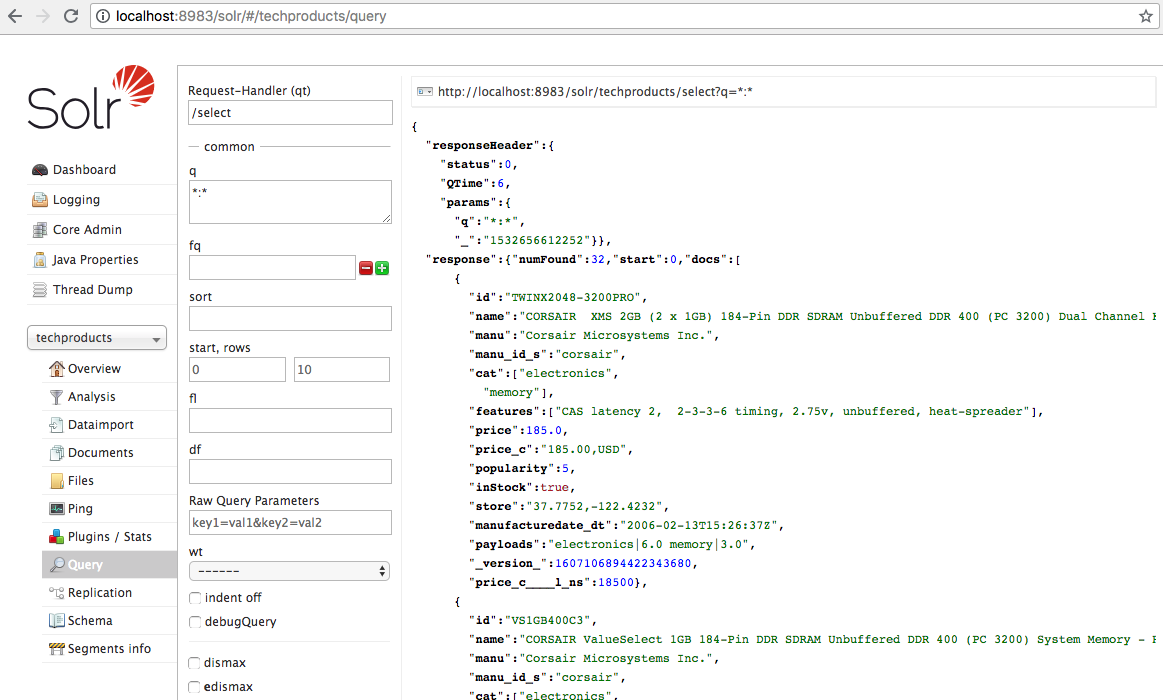
You should be able to see something like this:
Then you can run some query using the "q" box:
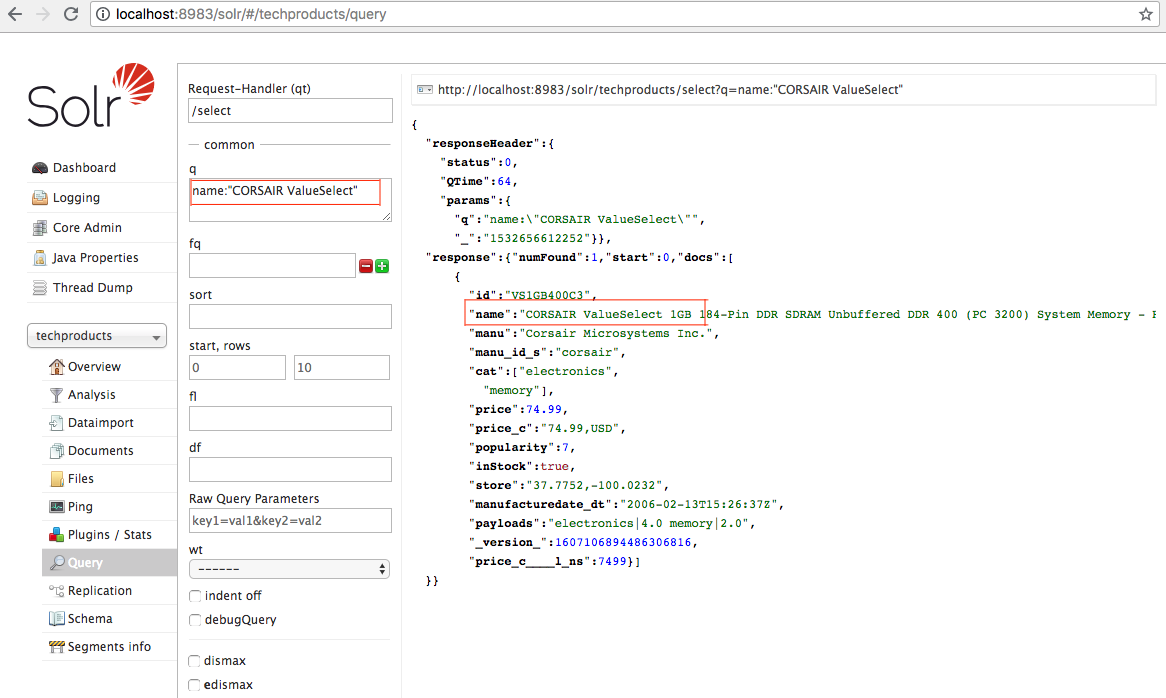 As you can see, there is one document matching the field value being queried.
But this only works if we have very small amount of documents. In my case, there are 7000 documents and more than 25 different date terms I was going to search for. So I needed a more automated approach. To automate, we can run curl command for queries.
- Bulk running curl query commands:
curl -o result_1.csv 'http://localhost:8983/solr/my_core/select?q=content:%22May%202001%20Edition%22&fl=doc_id,%27Insurer%27&rows=8000&wt=csv&csv.separator=%09'
curl -o result_2.csv 'http://localhost:8983/solr/my_core/select?q=content:%22April%202007%20Edition%22&fl=doc_id,%27Insurer%27&rows=8000&wt=csv&csv.separator=%09'
curl -o result_3.csv 'http://localhost:8983/solr/my_core/select?q=content:%22January%202010%20Edition%22&fl=doc_id,%27Non-Insurer%27&rows=8000&wt=csv&csv.separator=%09'
...
Here we tell Solr to output the search result as a csv file separated by tab. I stored these curl commands in one shell script file so that I need to run the script just once.
- Run the shell script:
chmod +x category_search.sh
./category_search.sh
- Now all the search results are in csv file format. Mission Accomplished!
This is a very simple demonstration of what Solr can do. The solution of Solr and Lucence offers many things way beyond things mentioned here. I hope that we can continue to leverage search engines like Solr or Elasticsearch (another open source app that sits on Lucence) for our text mining projects.
Happy searching!